Guide
Reports
Pipeline conversion, candidate sources and time to hire.
Reports show how your hiring is going: how candidates move through the stages, how long hiring takes and which sources bring you hires. Open Reports in the sidebar. Everyone in your team can see them.
Pipeline conversion
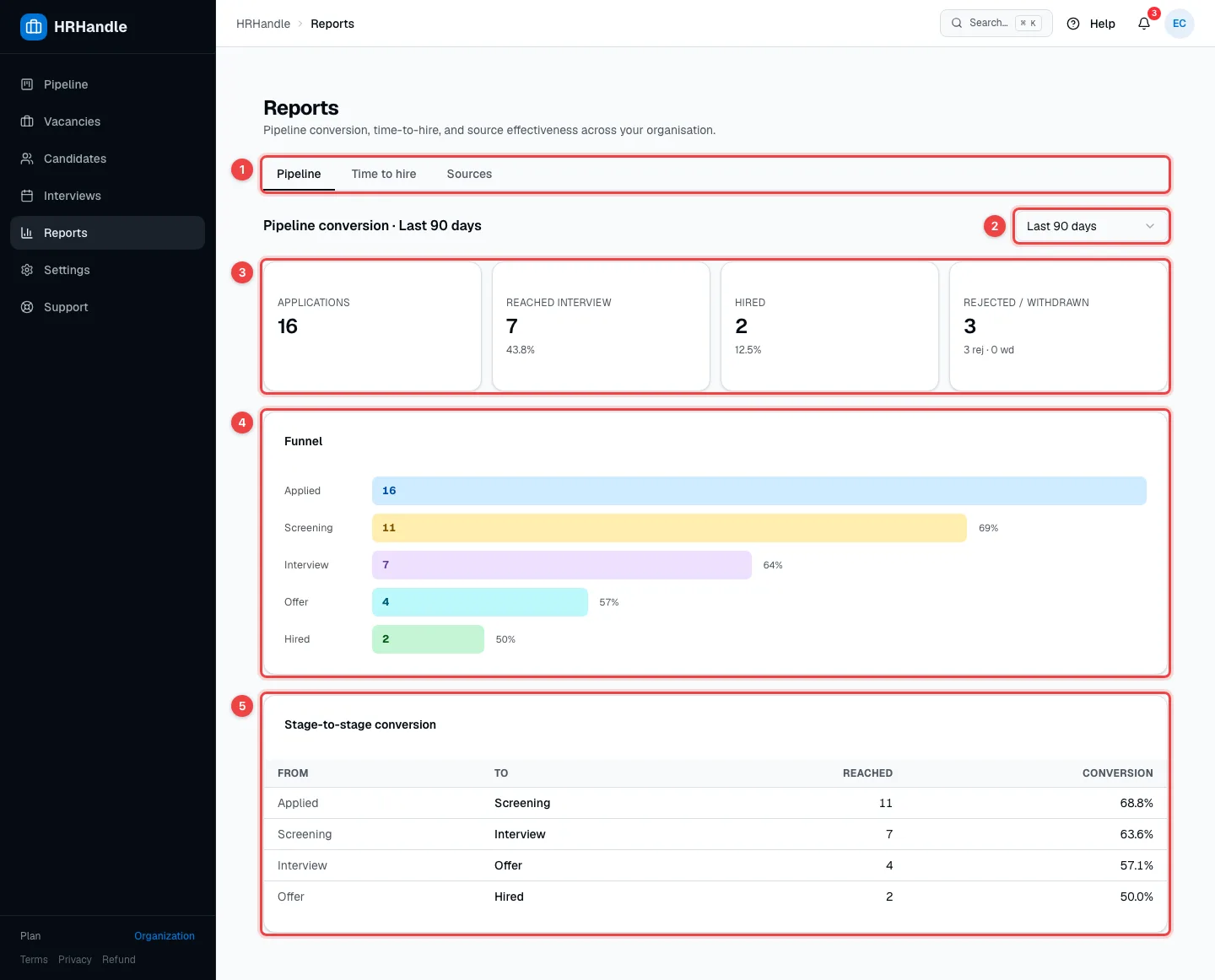
- Report tabs — Pipeline, Time to hire and Sources.
- Period — Last 7 days, Last 30 days (the default), Last 90 days, Last 365 days or All time. Every report counts the applications made in that period.
- Summary — the number of applications, how many reached the interview stage, how many were hired, and how many were rejected or withdrew.
- Funnel — how many applications reached each stage. A candidate who was rejected after an interview still counts for the stages they reached.
- Stage-to-stage conversion — the share of applications that moved on from each stage to the next.
Time to hire
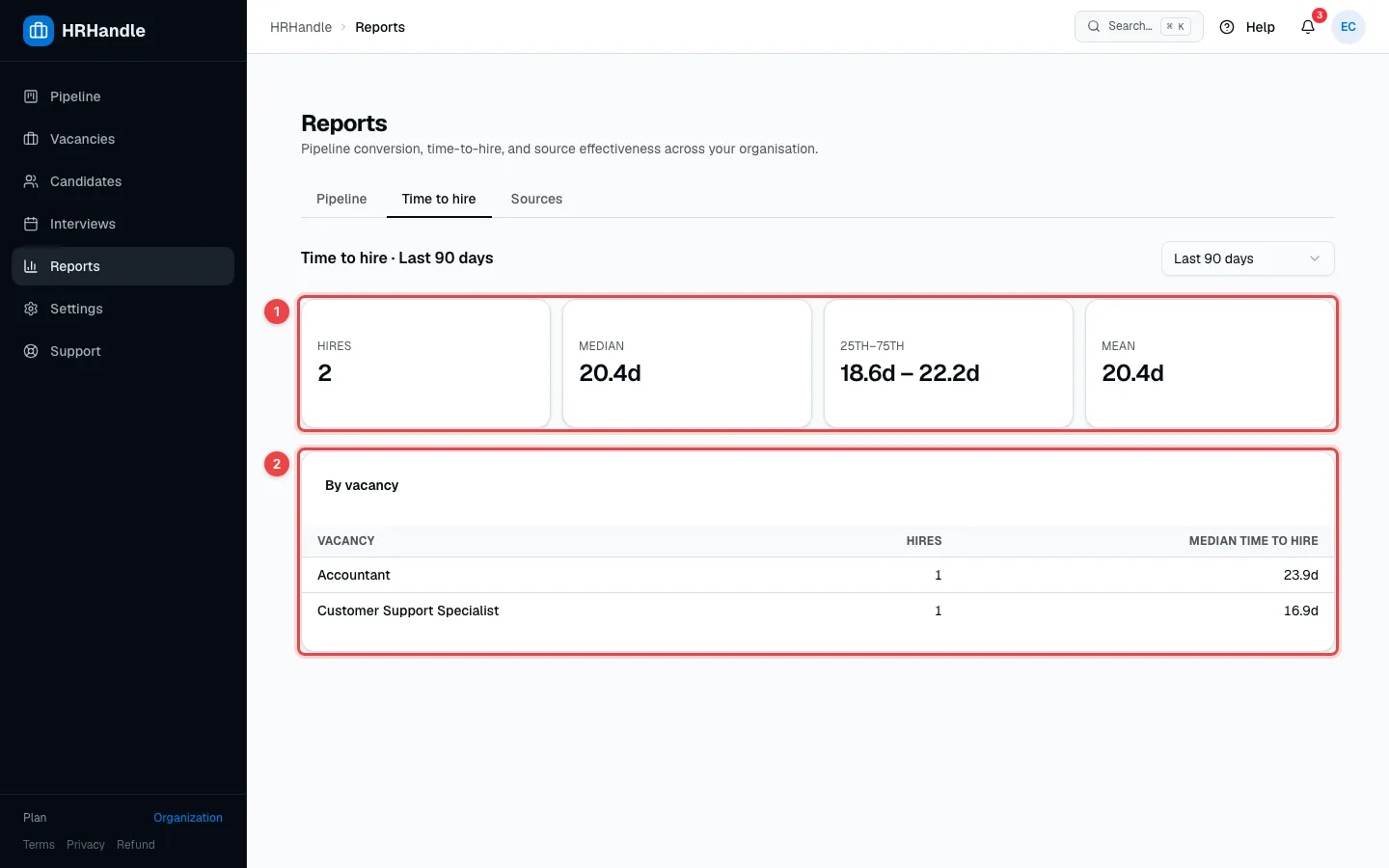
- Summary — the number of hires and the days from application to hire: the Median, the middle half of hires (25th–75th) and the Mean.
- By vacancy — the hires and the median time to hire for each vacancy.
Sources
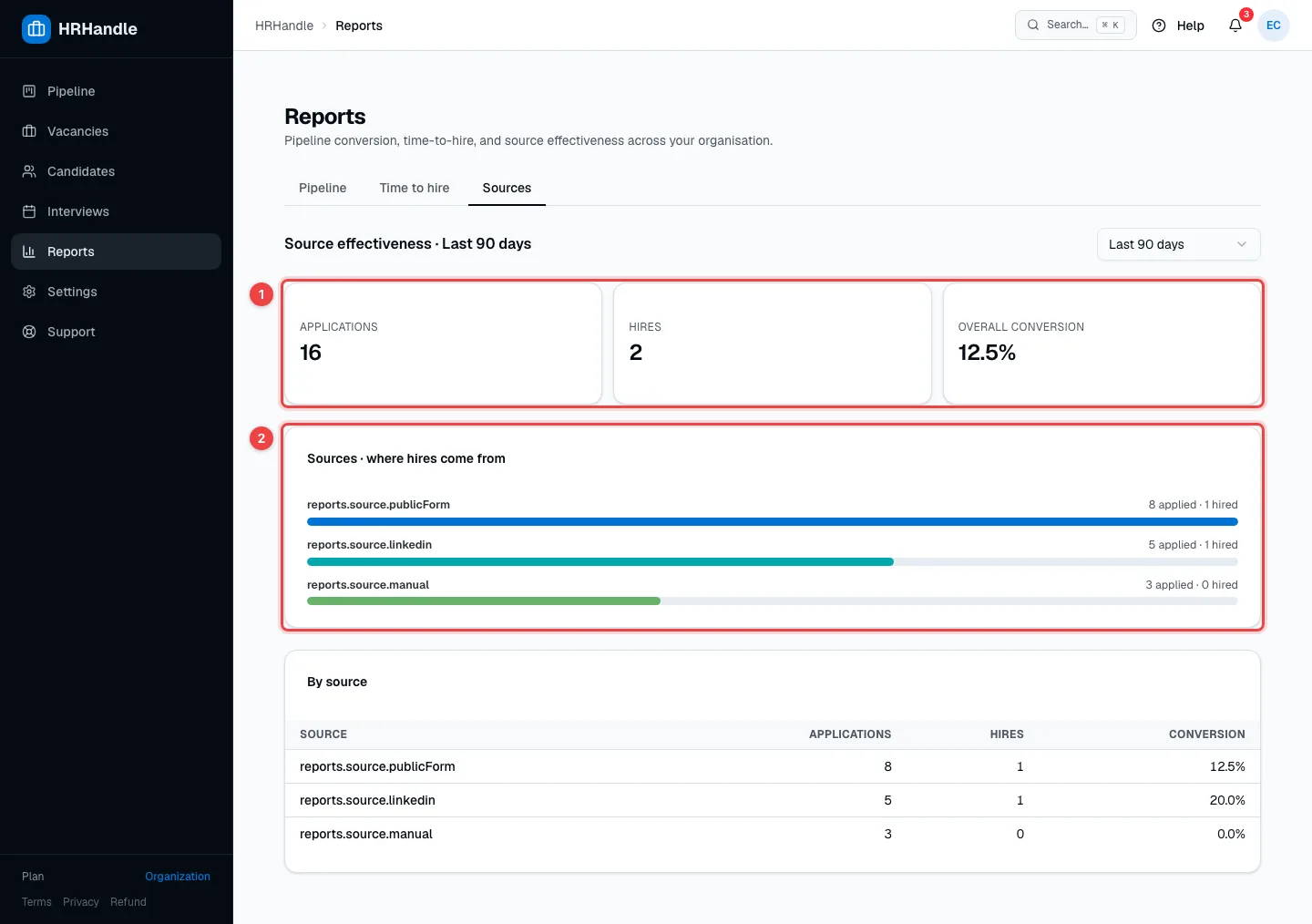
- Summary — applications, hires and the overall conversion from application to hire.
- Sources · where hires come from — applications and hires for each source: the public apply form, LinkedIn, candidates added by hand and imports. The By source table under it has the exact numbers and the conversion for each source.
To get more applications through your apply link, see Share a vacancy.