Guide
Organization settings
Company name, logo, jobs page address, content languages and security rules for your team.
Settings → Organization holds everything that applies to your whole organization: its name and logo, the address of your public jobs page, the language candidates see, security rules for your team, and AI Fit Analysis. Only the organization's Owner can open it.
Name, logo and jobs page address
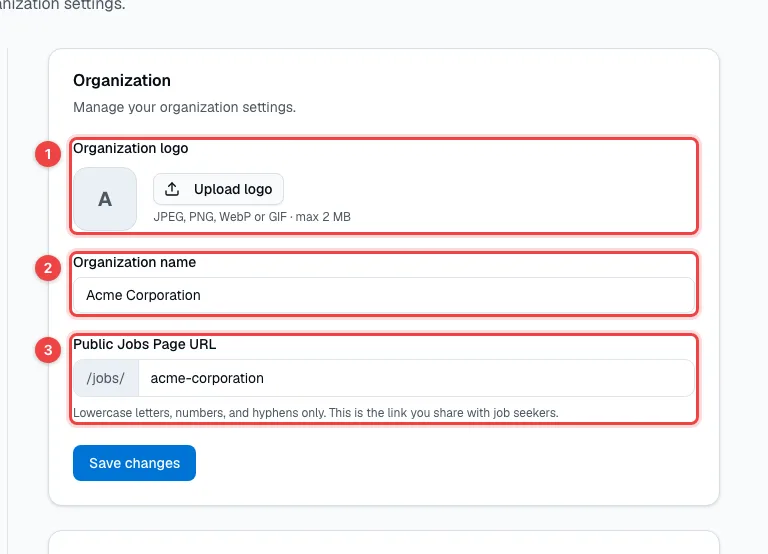
- Organization logo — a JPEG, PNG, WebP or GIF image of up to 2 MB. It appears on your apply forms and your public jobs page.
- Organization name — your company's name, shown to candidates and to your team.
- Public Jobs Page URL — the address of the page that lists your open vacancies:
hrhandle.com/jobs/your-company. Use lowercase letters, numbers and hyphens. If you change it, links to the old address stop working.
Click Save changes when you're done.
Security, language, AI and deletion
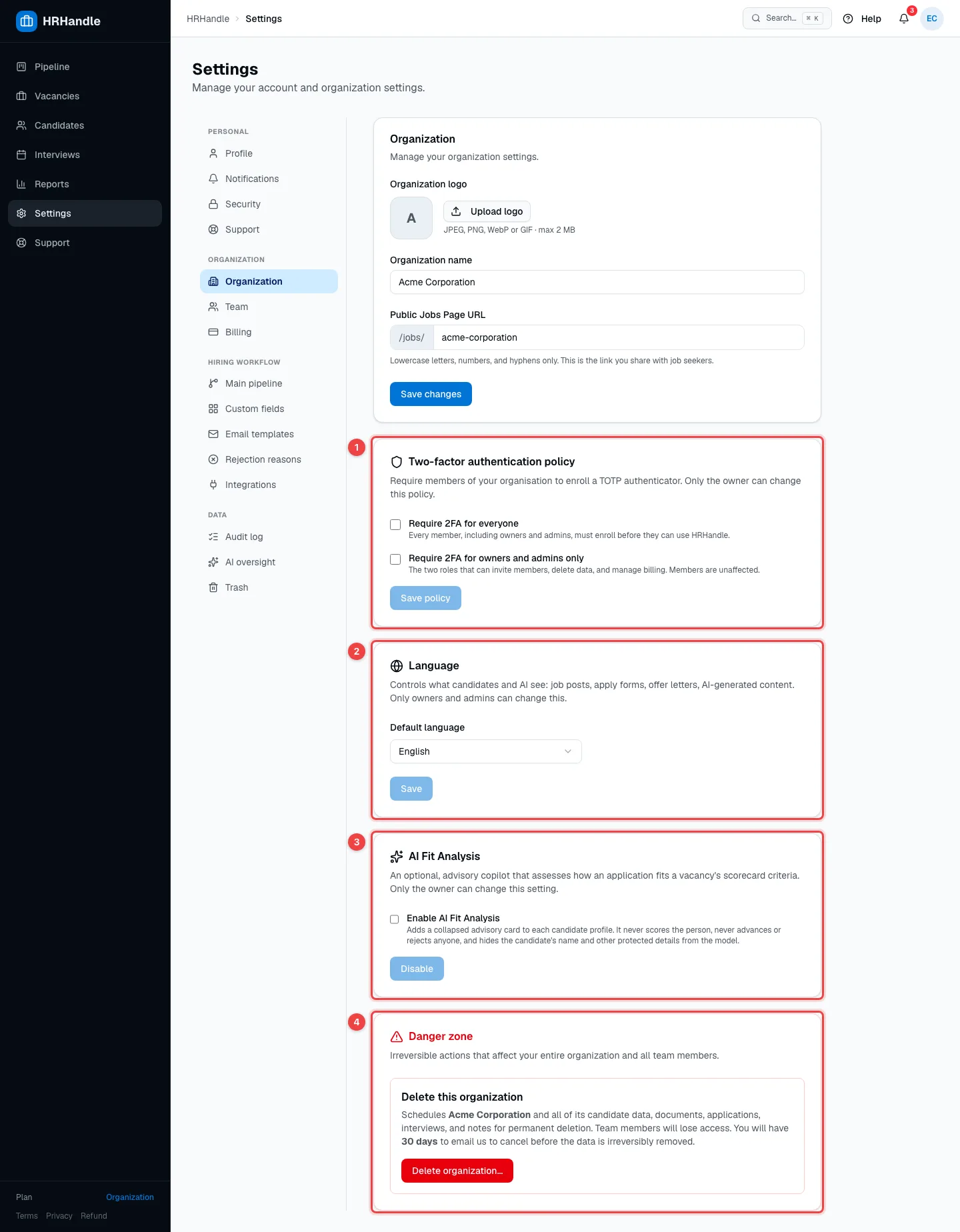
- Two-factor authentication policy — make two-factor authentication mandatory: Require 2FA for everyone, or Require 2FA for owners and admins only. Anyone who hasn't set it up yet is asked to do so before they can continue using HRHandle. Click Save policy.
- Language — the Default language of everything candidates see: job pages, apply forms, emails and offers. AI features also write in this language. It doesn't change your team's interface — everyone picks their own in their profile.
- AI Fit Analysis — an optional AI assistant that checks how an application matches the vacancy's scorecard. It's off until you turn it on. See AI features.
- Danger zone — Delete organization… schedules your organization and all its data for permanent deletion. You have 30 days to change your mind by emailing support@hrhandle.com; after that, the data is gone for good.
Related settings
- Team — invite teammates and choose their roles. See Team and roles.
- Billing — your plan and payments. See Plans and billing.
- Main pipeline, Custom fields, Email templates and Rejection reasons — your hiring workflow, managed by owners and admins. See The pipeline, Custom fields, Email templates and Reject candidates.