Guide
What candidates see
The application form, emails, status page and offer page from the candidate's side.
Candidates never need an account. Everything they see — your careers page, the apply form, their emails, their status page and their offer — is in your organization's language (see Organization settings) and shows them only their own application.
Applying
Candidates find your open vacancies on your careers page and apply through a vacancy's apply link — see Share a vacancy. After sending the form they see a thank-you message, and they get a confirmation email. Both have a Track your application link to their status page.
The status page
The status page shows how far the candidate has got, in a few simple steps that don't reveal your own stage names.
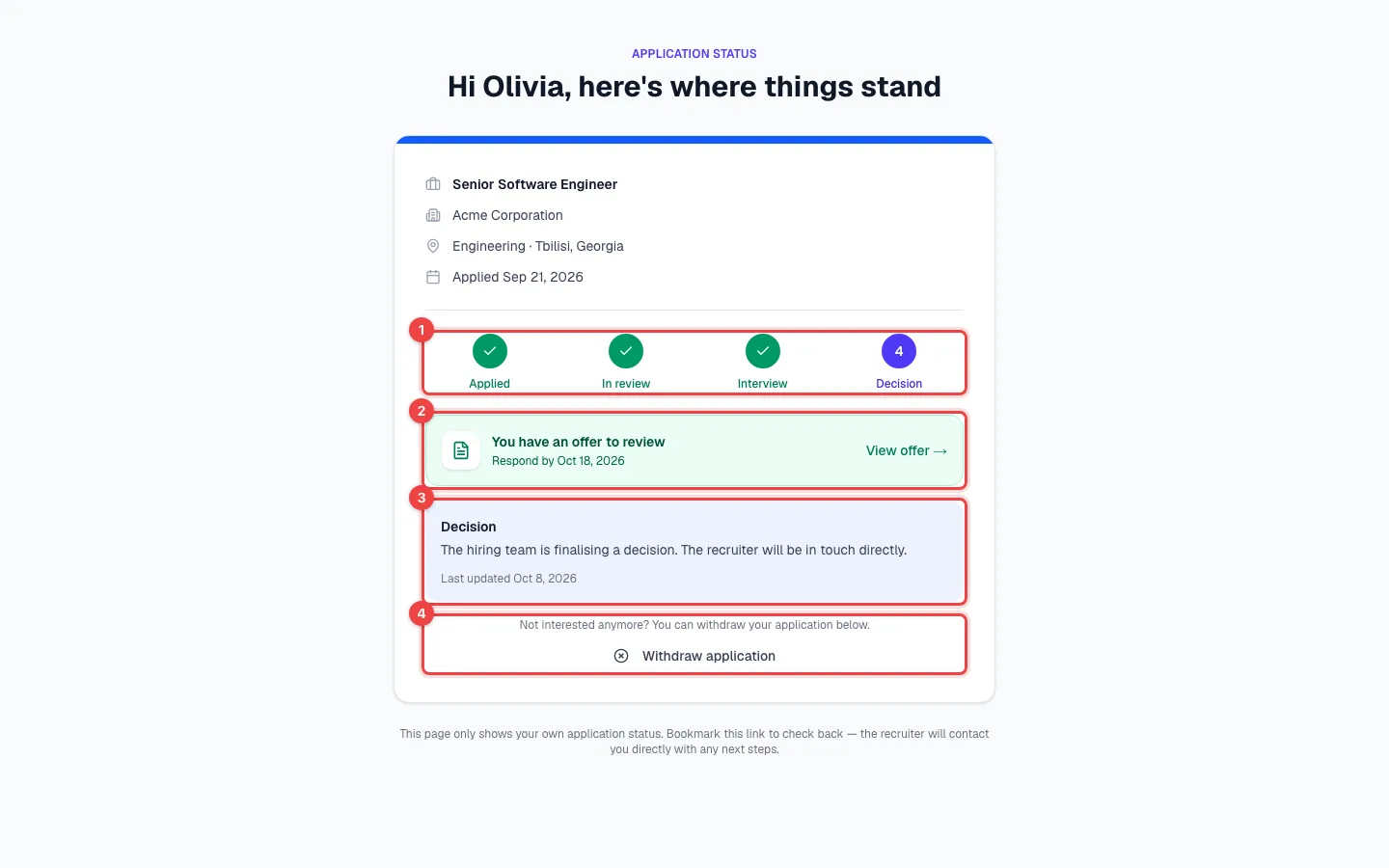
- Progress — Applied, In review, Interview and Decision.
- The offer — once you've sent an offer, a link to it appears here.
- Current status — a short explanation and the date it last changed.
- Withdraw application — the candidate can withdraw at any point until they're hired or the application is closed.
| Your stage | What the candidate sees |
|---|---|
| Applied | Applied — the application was received. |
| Screening and other review stages | In review — a recruiter is reviewing the application. |
| Interview | Interview — the application is at the interview stage. |
| Offer, Hired | Decision — the team is making, or has made, a decision and the recruiter will be in touch. |
| Rejected, Withdrawn | Closed |
When a candidate withdraws
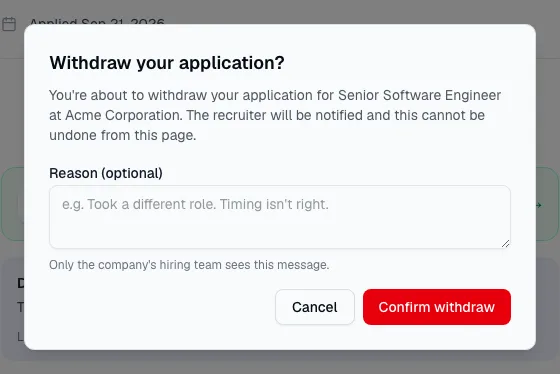
The candidate confirms and can add a short reason. The application moves to Withdrawn, any open offer is cancelled, and the owner and admins get a notification with the candidate's name, the vacancy and the reason. The reason also appears in the candidate's activity and in the audit log. The candidate can't undo it from the status page.
What a rejected candidate sees
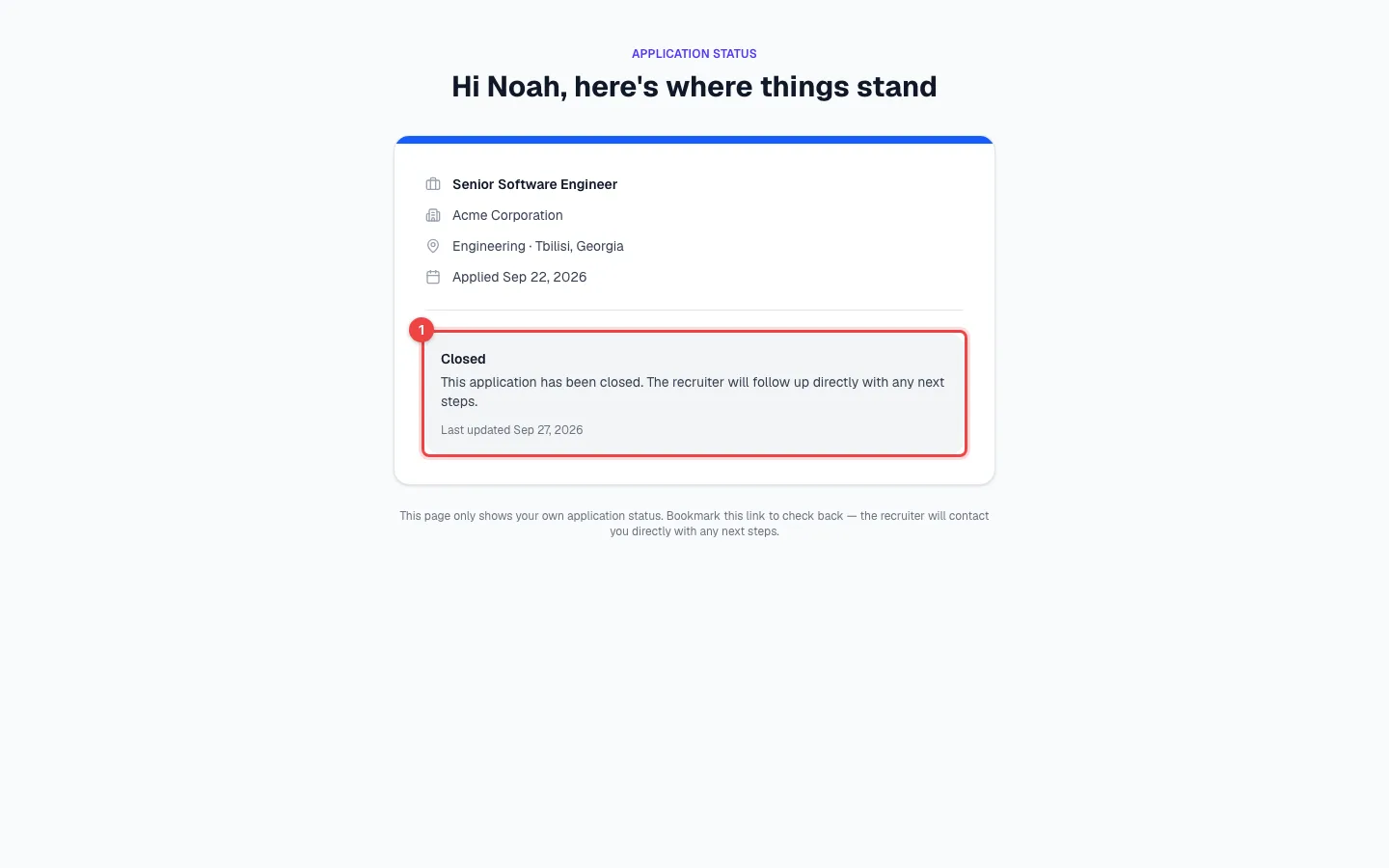
- Closed — the page never says "rejected". If you sent a rejection email, that's where the candidate reads your message.
Emails candidates get
| When it's sent | |
|---|---|
| Application received | Always, right after someone applies through an apply link. |
| Interview invitation | When you schedule an interview with Email candidate ticked. |
| Status: Under review, Status: Interview | When you move the candidate forward to Screening or Interview — only if you've switched these emails on. |
| Rejection | When you reject a candidate with Send rejection email on. |
| Offer sent | When you click Save & send on an offer. |
You can change the text of each email — see Email templates.