Guide
Public apply link
Share a branded application form for any open vacancy.
Every vacancy can have a public application form on its own URL. Share the link on LinkedIn, a job board, or your own website — candidates apply directly, no HRHandle account required.
Activate the form
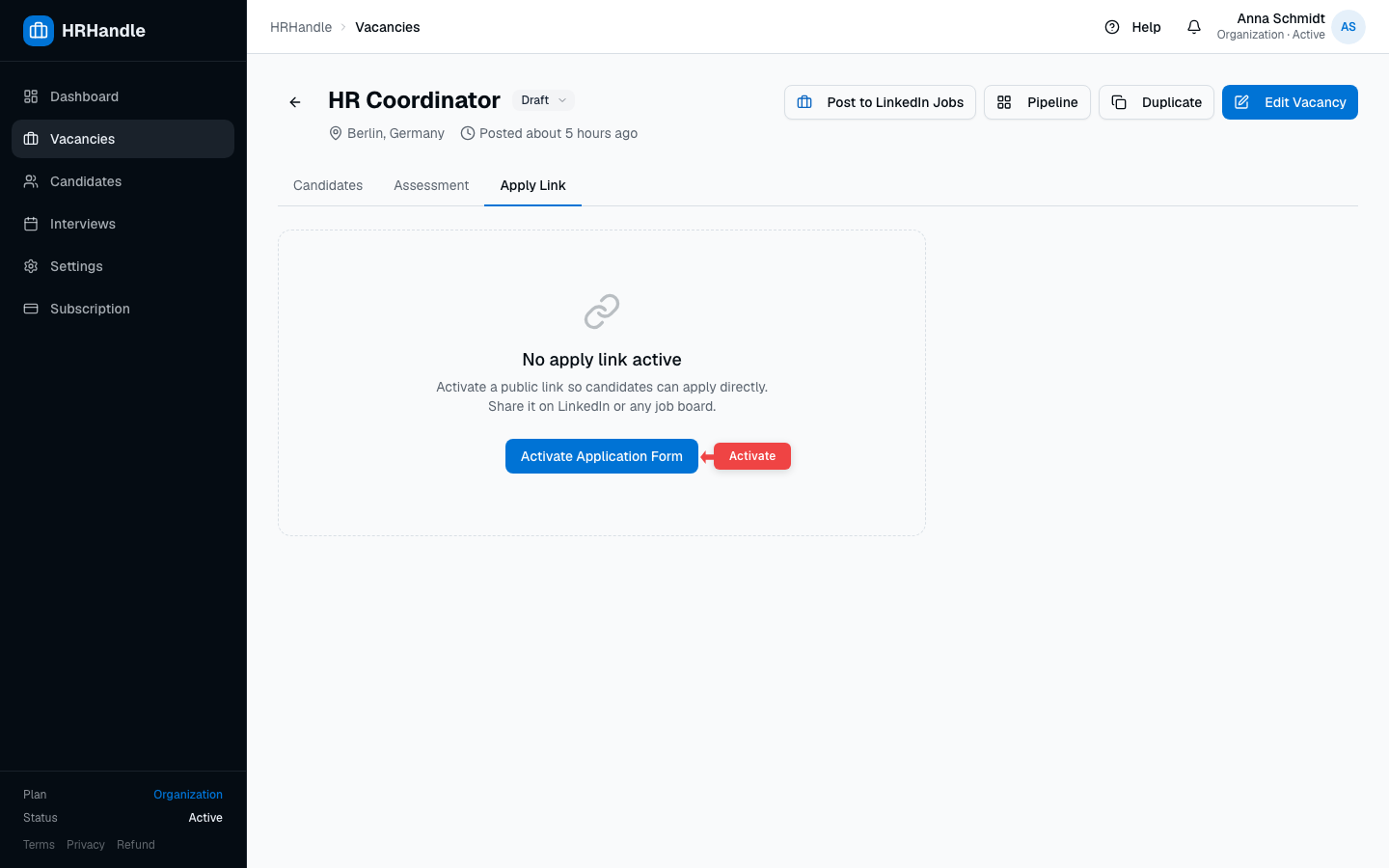
Open a vacancy and switch to the Apply Link tab. If the form is not yet active, click Activate Application Form.
Copy and share the link
Once active, the tab shows the public URL and a short summary of what candidates will see. Use the icons next to the URL to copy it or open it in a new tab.
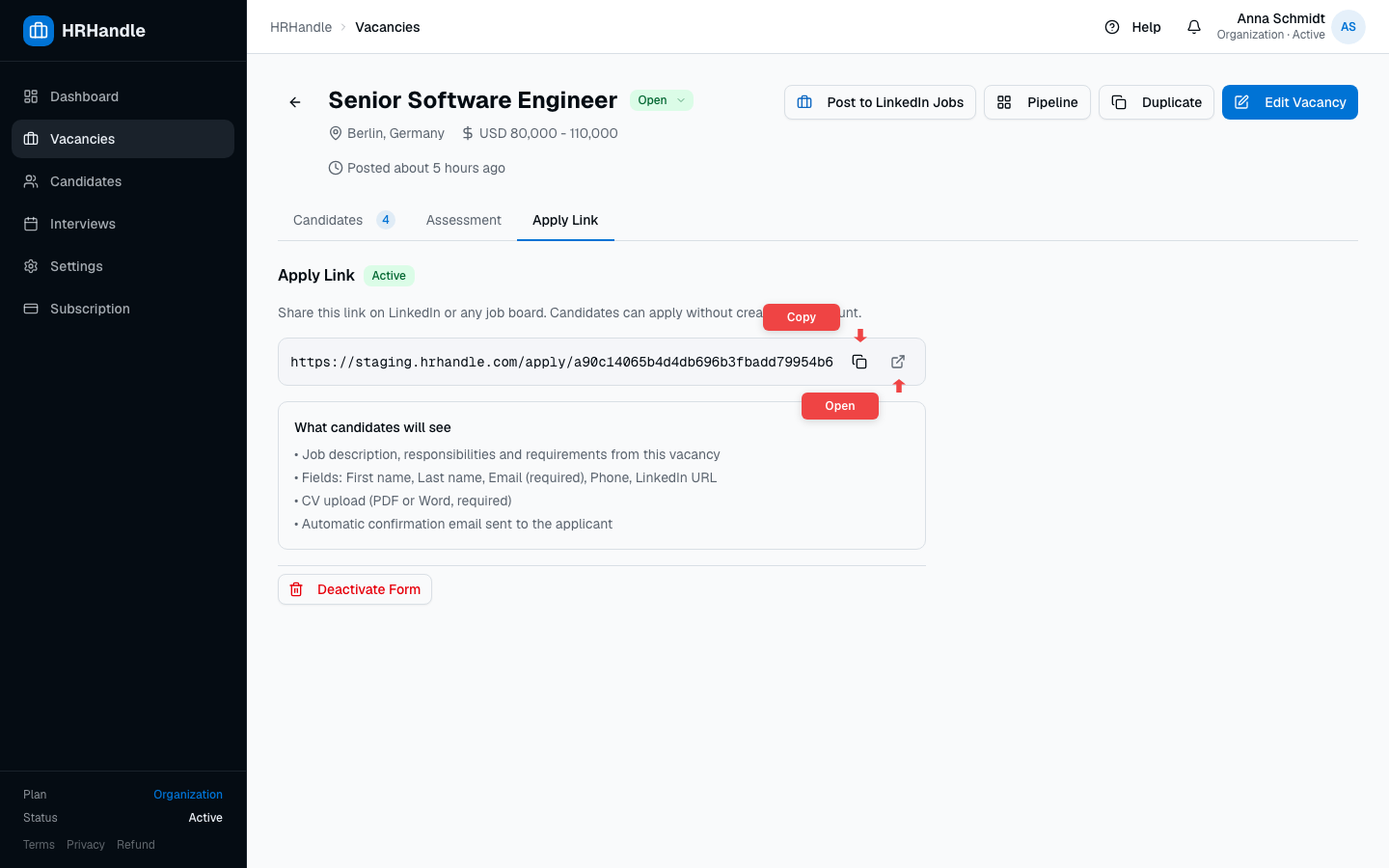
The link has the shape https://hrhandle.com/apply/<token> and works until the form is deactivated.
What candidates see
Candidates land on a branded page that includes the vacancy description, responsibilities, and requirements. They upload a CV first — HRHandle parses it and pre-fills the personal details — then review and submit.
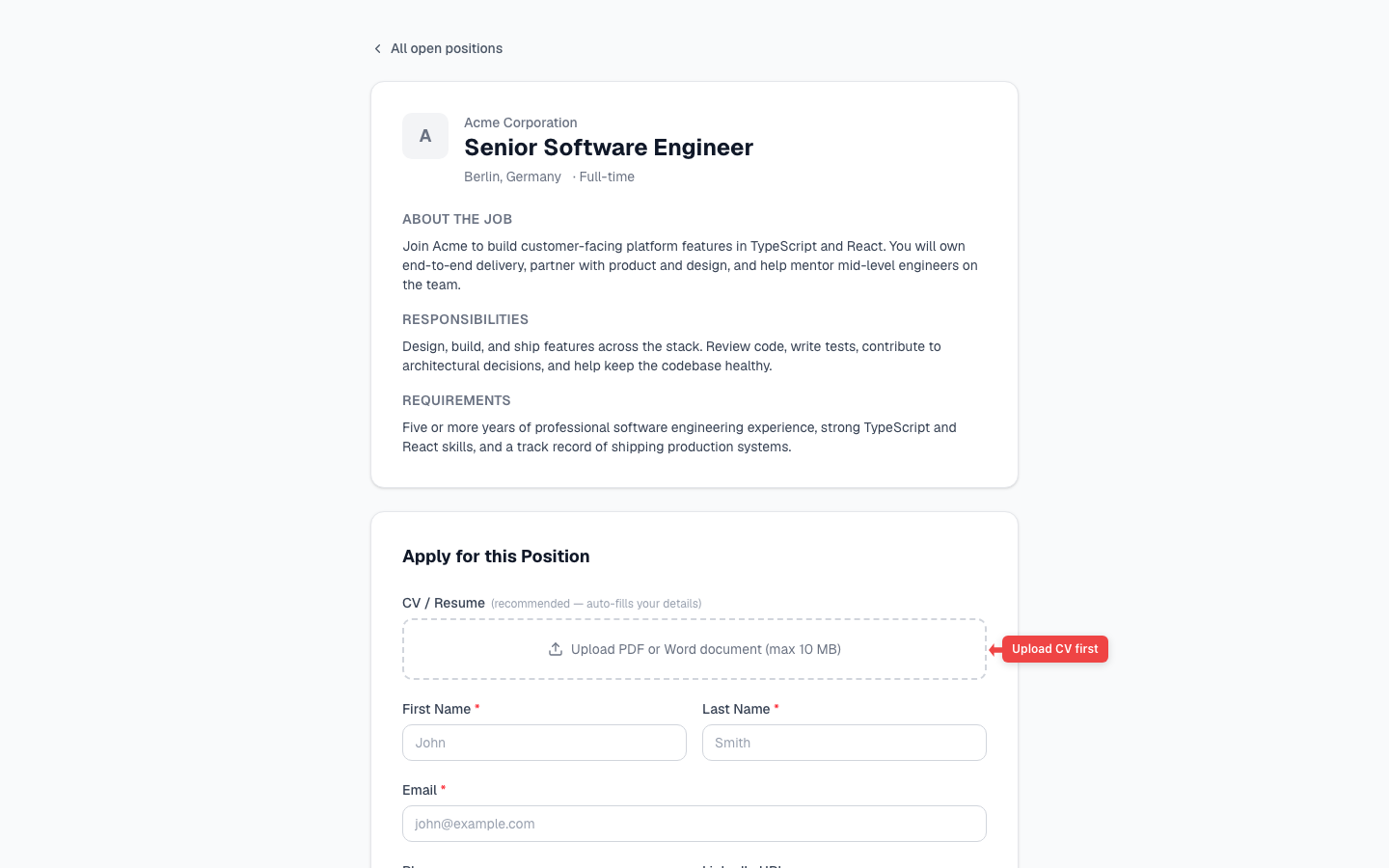
The candidate-facing form asks for:
| Field | Required |
|---|---|
| CV (PDF or Word, up to 10 MB) | Yes |
| First name | Yes |
| Last name | Yes |
| Yes | |
| Phone | No |
| LinkedIn URL | No |
After submission
When a candidate submits the form:
- A candidate record is created in your organization's talent pool.
- An application is created in the pipeline at the Applied stage.
- Owners and admins receive an in-app notification.
- The applicant receives a confirmation email.
From there, work the candidate through the pipeline or schedule an interview.
Deactivating the form
To stop accepting new applications, open the Apply Link tab and click Deactivate Form. The link stops working immediately. Existing candidates and applications are kept; only new submissions are blocked.