Guide
LinkedIn integration
Connect a company page and post vacancies to LinkedIn Jobs.
Connect a LinkedIn company page to HRHandle and post a vacancy to LinkedIn Jobs in a few clicks. HRHandle prepares the title, description, and a public apply URL pointing back at your form; you paste them into LinkedIn's wizard and submit.
This integration uses LinkedIn's free job posting flow — no LinkedIn Recruiter subscription required.
Connect your company page
Open Settings → Integrations and find the LinkedIn Company Page row. You need your numeric LinkedIn company page ID — not the slug. Find it in your LinkedIn company admin URL:
linkedin.com/company/12345678/admin/ ← the number is your page ID
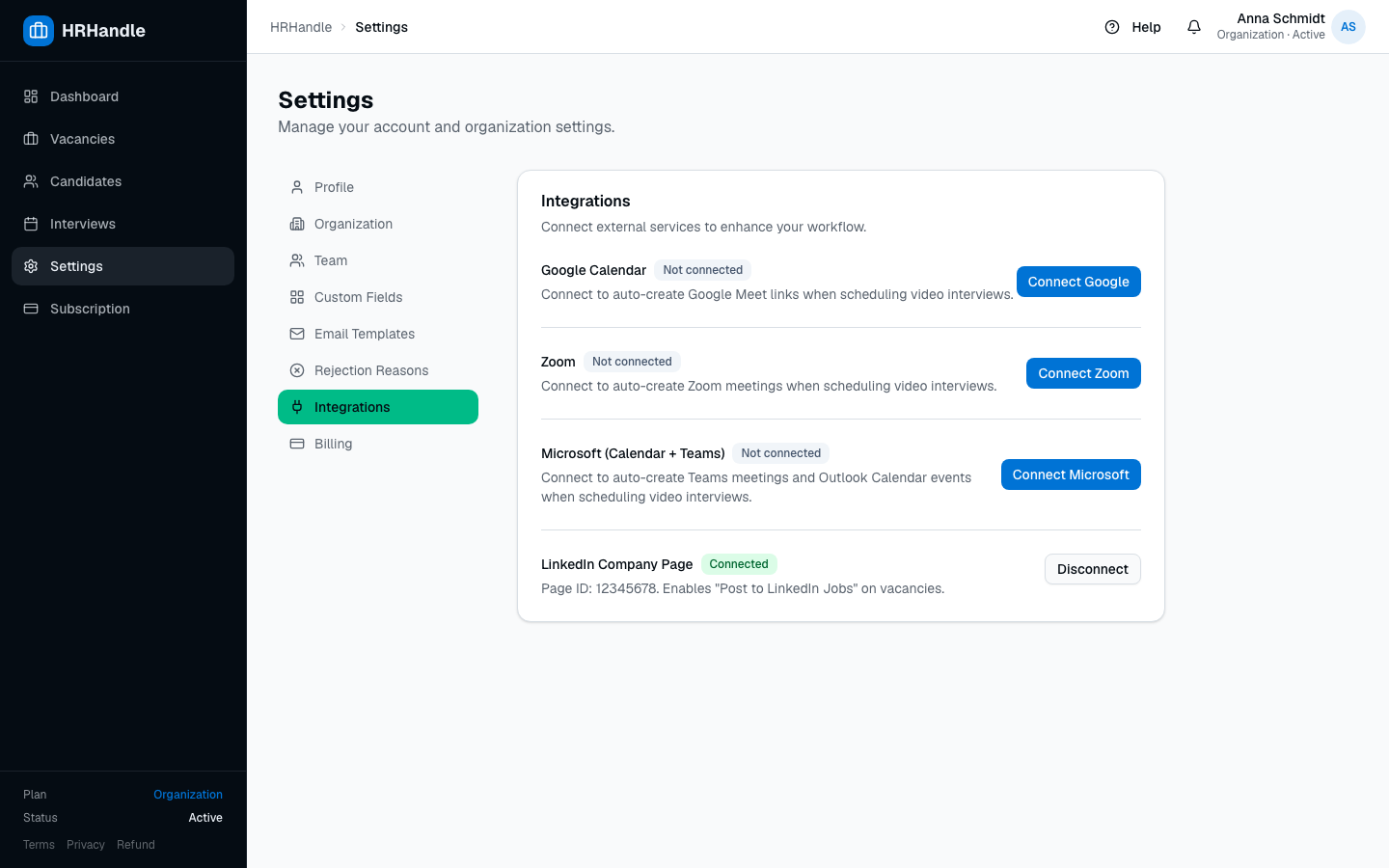
Paste the ID, click Connect, and you are done. Nothing more is needed — no OAuth dance, no API keys.
Post a vacancy to LinkedIn
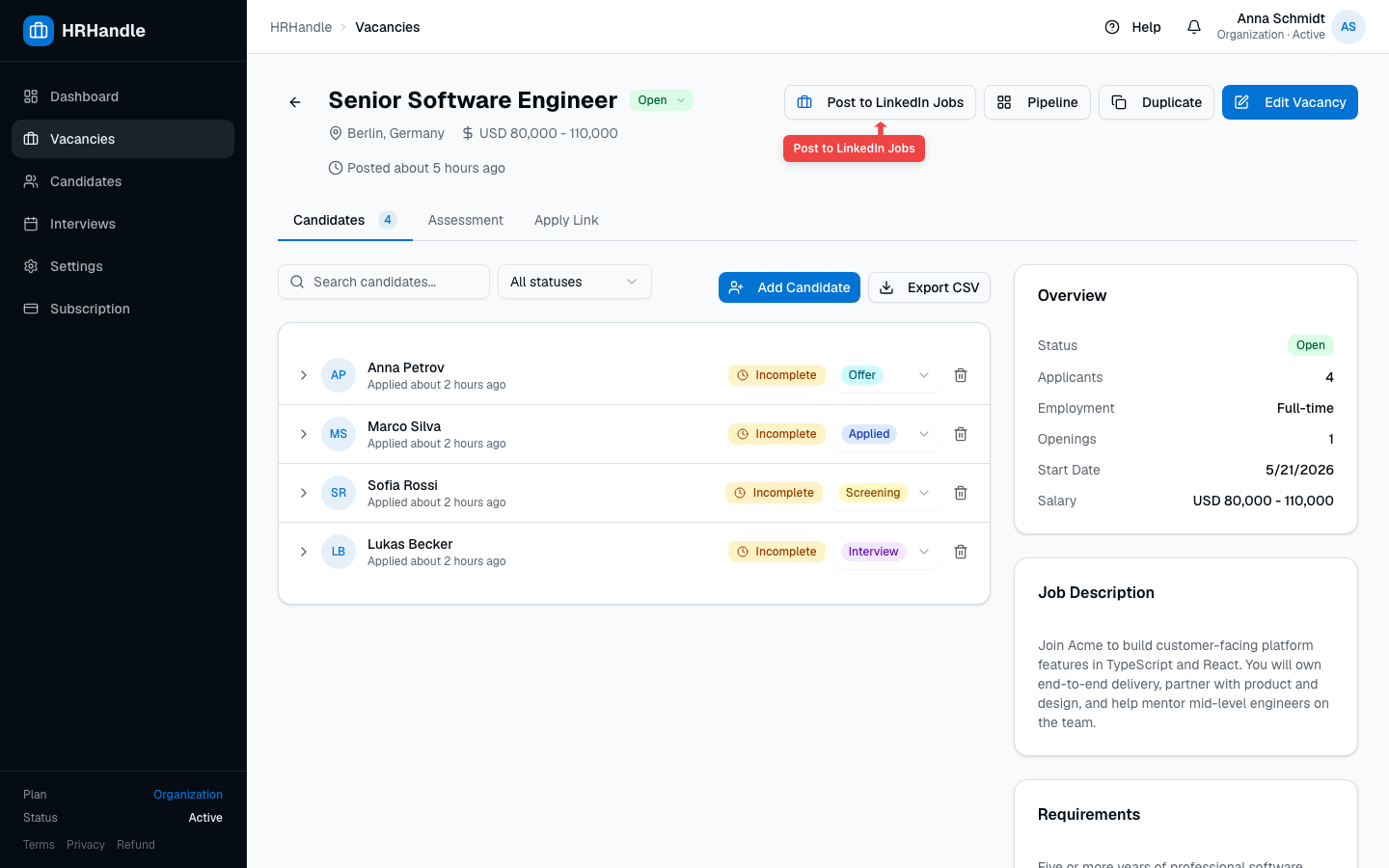
Open any vacancy. With LinkedIn connected, a Post to LinkedIn Jobs button appears next to the other actions in the top-right.
Use the clipboard companion modal
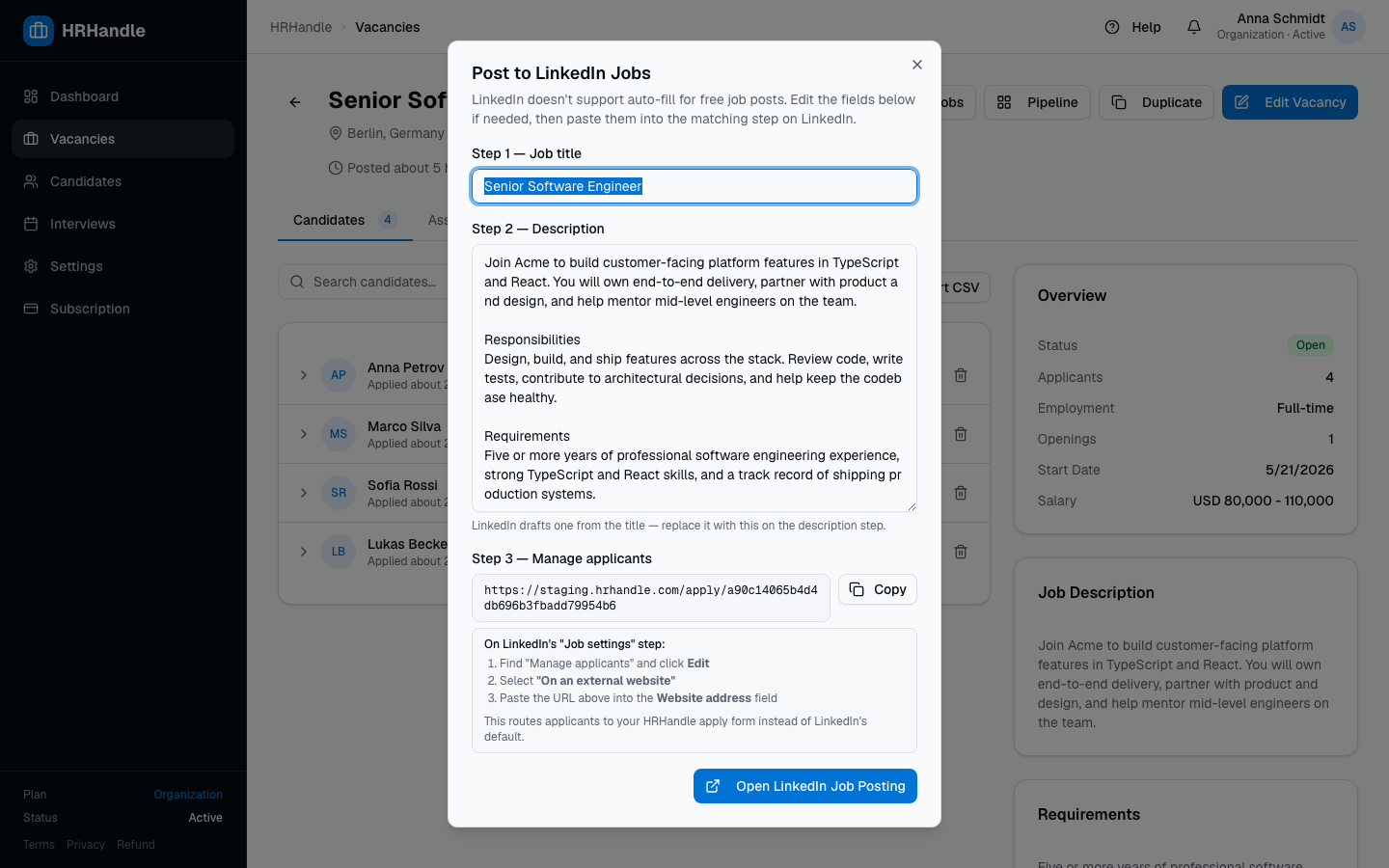
Clicking Post to LinkedIn Jobs opens a modal — your companion for filling out LinkedIn's wizard. LinkedIn's free flow does not accept URL parameters, so the modal gives you each piece of data ready to copy.
What's in the modal:
- Step 1 — Job title: pre-filled from the vacancy. Edit if you want.
- Step 2 — Description: combined
Description + Responsibilities + Requirements. Edit if you want. - Step 3 — Manage applicants: the public apply URL, plus instructions for the "On an external website" toggle on LinkedIn so candidates land on your HRHandle apply form.
Click Open LinkedIn Job Posting at the bottom. A new tab opens at LinkedIn's job creation wizard, scoped to your company. Switch back to the HRHandle tab to copy each field as you progress through LinkedIn's steps.
Why isn't it fully automatic?
LinkedIn's free job posting flow doesn't accept pre-fill URL parameters or expose an unauthenticated API for posting. The official Job Posting API requires LinkedIn's ATS Partner Program approval (a months-long vetting). For free-tier users, copy-paste is the only path — but the modal makes it a 30-second job.
If your company has LinkedIn Recruiter, you get a richer job creation form at a different URL with extra targeting features. Our button still works for Recruiter users and lands them on the free flow; we don't auto-detect Recruiter access yet.
Disconnect
To stop showing the button on vacancies, open Settings → Integrations and click Disconnect in the LinkedIn row. The integration record is removed; you can re-connect at any time by pasting the page ID again.